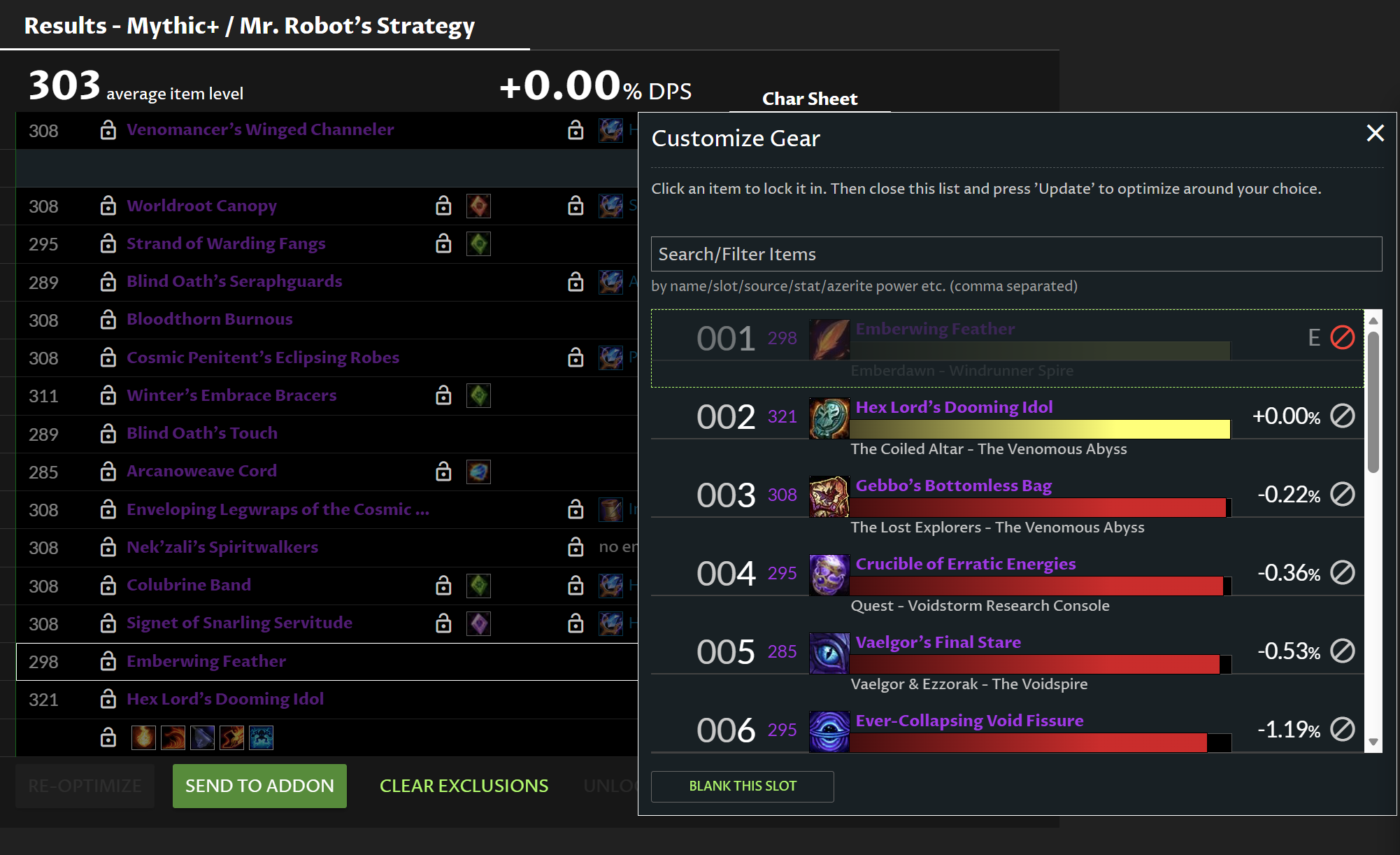
I am trying to exclude the Emberwing Feather trinket for my shadow priest’s Best in Bags but when I click the red ‘cancel’ button to “exclude this item from optimizations” and then hit the re-optimize button, it is still showing as the Best in Bag option. Am I doing something wrong?
That said, if you have any other Trinkets locked to lower gear-sets, it SHOULD be fine… and you don’t.
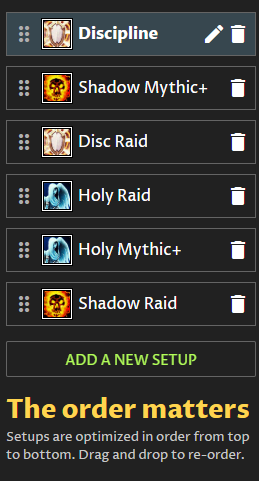
That top Disc. set has a stat. priority, but is the ONLY set that does.
Aside from locking in any other Trinket to the spot the Emberwing Feather is selected for, I fear I’ll have to defer to @yellowfive or @Swol for any deeper advice.
EDIT:
Just went back to have another look & Emberwing Feather has an ‘on use’ factor that the Optimiser is taking into account; as you have ‘on use’ set to two, the Optimiser may well be looking for the best two ‘on use’ Trinkets & Emberwing Feather fits that criteria… That’s all I have.
I’ll take a look and see if we can improve this case, but here is what is happening:
You have that item equipped, and then you are excluding it. Those are conflicting pieces of information for the optimizer… often we look at what you are currently wearing in-game as the ultimate rule for what you are willing to equip.
In other words: the BiB optimizer always checks if your currently-equipped gear is a good solution and considers it a valid solution.
If you go in-game and remove that trinket, export to the website again and optimize, it should work and not choose that trinket. Make sure you activate your Shadow spec in-game when you change your gear, because the addon saves your last-seen gear on each spec individually.
I’ll see if we can adjust that logic to automatically blank your trinket slot and/or consider your equipped gear to be an invalid solution in this case, but the above workaround should work in the meantime.
@yellowfive Your suggestion to unequip the Emberwing Feather trinket worked! Once I placed it in my bags and exported to the website again, it is no longer recommending the excluded trinket. Thank you!!! Moving forward if I ever intend to exclude a piece of gear from optimization, I will make sure it is not equipped when I do the export to the website. Thanks for the explanation.
@eighjan I know having six gear sets is probably considered a bit excessive , but I do utilize them and they are in the correct order. If it messes a lot with the overall optimization, especially for the top gear set, I would remove all the secondary gear sets within the same spec to simplify things down to 3 gear sets total. I’m aware the top one is what is driving most of the optimization, and that’s what I’m looking for. Do you recommend having a custom stat priority for other gear sets or removing the one I have for my top Disc gear set? I customized the disc stat priority during a previous patch where I was getting either too much or too little haste with the default settings. It might not be relevant anymore.
We just posted an update that should handle this case automatically in the future. Explicit item exclusions will take precedence over currently-equipped gear.
Also 6 gear sets isn’t excessive at all! We picked that as the max number so that people could maintain two sets per spec but also keep the optimizer from slowing down too much. It’s very common to have e.g. a raiding and M+ setup or a single/multi-target setup for each spec.
 , but I do utilize them and they are in the correct order. If it messes a lot with the overall optimization, especially for the top gear set, I would remove all the secondary gear sets within the same spec to simplify things down to 3 gear sets total. I’m aware the top one is what is driving most of the optimization, and that’s what I’m looking for. Do you recommend having a custom stat priority for other gear sets or removing the one I have for my top Disc gear set? I customized the disc stat priority during a previous patch where I was getting either too much or too little haste with the default settings. It might not be relevant anymore.